What Does Crestron DM NVX 370 Mean for Your Next AV Upgrade?
Link Integration Group
Crestron DM NVX 370 can help organizations add simpler laptop connections and expand an existing DM NVX system. The new series combines purpose-built processing with HDMI and USB-C inputs and networked AV management. The benefit depends on how those capabilities fit the room, the equipment already in place, and the network supporting it.
Maybe you are adding a training room, renovating classrooms, or extending video to more displays across a facility. Before a commercial AV upgrade becomes a list of products, ask what people need to do more easily and what your support team needs to manage.
What Is New About Crestron DM NVX 370?
The 370 series introduces the first DM NVX System-on-Chip designed in-house for professional AV. That gives the platform a processor built specifically to handle networked audio and video.
AV over IP sends audio and video through network infrastructure. An endpoint connects a source or display to that system so that content can move between the locations included in the design.
DM NVX 370 supports 4K video at 60 frames per second with 4:4:4 color, preserving detail that matters when people read spreadsheets, diagrams, or small text. It includes native audio capabilities and is designed for 24/7 operation. Actual performance still depends on the complete installation.
Can DM NVX 370 Work With Your Existing DM NVX System?
Yes. Crestron states that the 370 series interoperates with DM NVX products introduced since 2017. That makes expansion worth evaluating before assuming that equipment still doing its job must be replaced.
Start with the endpoint models, firmware versions, sources, and displays already installed. Older devices may require different stream settings or support lower resolutions. Adding a new endpoint does not give every older device the same capabilities.
For a university renovating in phases, campus AV planning helps each classroom upgrade contribute to a shared standard. A business adding meeting spaces benefits from the same approach: decide what can stay, what needs to change, and how the next room should fit.
Can USB-C Make a Meeting Room Easier to Use?
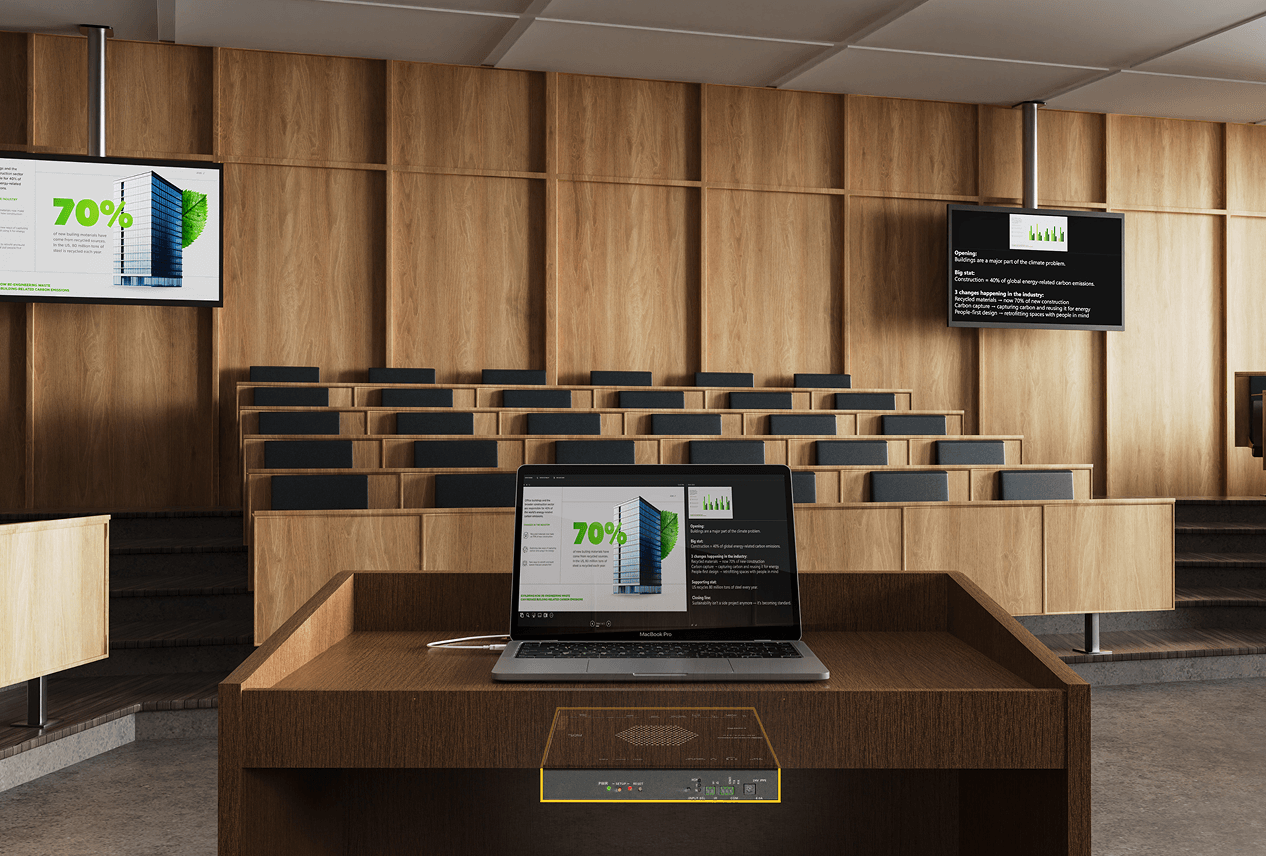
Yes, when the laptop, cable, and room are designed to work together. A USB-C connection can carry video and USB 2.0 data, reducing the separate connections a presenter needs to manage.
Joel Mulpeter, senior director of product marketing at Crestron, explains: “The device gives you HDMI and USB-C connectivity on an embedded input switch.”
Up to 100W USB-C charging requires the optional PW-2460DU power supply, sold separately. Video requires a compatible laptop and a USB-C cable that supports DisplayPort Alt Mode. Cable selection and endpoint configuration matter.
Good meeting room technology makes the connection understandable. Test the laptops people actually use, keep controls familiar, and provide a clear alternative for visitors whose devices need a different connection.
Will DM NVX 370 Work on Your Existing Network?
It may, but the network needs to be evaluated before equipment is specified. DM NVX 370 supports 4K60 4:4:4 transport over a correctly designed Gigabit Ethernet network. An available network jack alone does not confirm readiness.
Bring AV and IT together early to review:
- How many video sources will run at once and where they need to go.
- Switch capacity, configuration, and the connections between switches.
- Security, access controls, and how AV traffic will be handled.
- Who will manage devices and support users after installation.
Early AV and IT planning gives the team time to address infrastructure requirements before equipment is purchased or rooms are finished. Facilities should help coordinate cable pathways, equipment access, and the installation schedule.
What Does Networked AV Look Like in a Louisiana Facility?
Link Integration’s Capitol City Produce project shows how networked AV can address an operational problem across a large facility.
The company’s aging video matrix had become unreliable and was no longer supported. Link implemented a Crestron NVX Video-over-IP platform with centralized source routing, custom touchscreen controls, and conference room updates.
This project shows the value of designing a networked AV system around the information people need, where they need it, and how they will control it.
How Should You Plan for AV Support After Installation?
Agree on support responsibilities before the system goes live. Staff needs to know how to start the room, and the support team needs a clear way to check status, approve changes, and troubleshoot problems.
DM NVX 370 supports web-based control, XiO Cloud, and DM NVX Director management. Choose the approach that fits the organization’s environment. Firmware updates can add capabilities, but review and test them for your system instead of planning around an assumed future feature.
For ongoing service, discuss the maintenance and support options available through Link Systems Assurance. Define the coverage your facility needs rather than leaving those decisions until an issue interrupts a meeting or class.
How Should You Start Your Next AV Upgrade?
Start with the rooms that need attention and the problems people encounter there. Bring the existing equipment inventory, upcoming room plans, and IT requirements into the same conversation.
At Link Integration Group, we help Louisiana organizations connect those needs with AV design, installation, and support. The goal is a system people can use confidently, and your team can maintain as the facility changes.
Request a free AV assessment to discuss how DM NVX 370 could fit your next upgrade.
This post was created in partnership with Crestron.